
Campaign creative
Test multiple hero colors for paid ads, landing pages, and seasonal campaigns without scheduling a new photoshoot every time marketing wants a variation.
Use this clothes color changer to upload a product or outfit photo, choose a target shade, and generate clean apparel variants while keeping fit, folds, lighting, and fabric texture intact.
Clothes Color Changer is designed for teams that need more color variants without more production work. This clothes color changer starts from one clean image, preserves the garment details that matter, and helps teams iterate quickly.
Generate new colorways from a single image instead of reshooting every SKU. Ideal for tops, dresses, uniforms, jackets, and product-detail photography.
Tell the model exactly what to change and what to preserve: garment type, target color, logo placement, material texture, shadows, folds, and background styling.
Keep seams, wrinkles, silhouettes, and fabric feel more stable across variants so your results still look like the same original garment.
Create quick alternatives for campaigns, landing pages, paid ads, or merch previews so teams can compare shades before committing to production.
Use one lightweight workflow for product, marketing, and design review instead of waiting on manual edits for every requested color change.
The current MVP focuses on speed and simplicity: upload, describe the new color, generate, compare, and rerun if you want tighter control.
An online clothes color changer helps ecommerce teams, growth teams, and creative operators produce more visual variants without rebuilding every asset from scratch.
Test multiple hero colors for paid ads, landing pages, and seasonal campaigns without scheduling a new photoshoot every time marketing wants a variation.
Start from one approved garment image and create additional colorways for product listings, internal assortment reviews, and marketplace distribution.
Explore alternative color directions before sampling or manufacturing. Useful for internal approvals, buyer previews, and early creative sign-off.
Generate fast visual variants for posts, reels covers, and creator briefs so each channel can test different looks without recreating the base asset.
Reuse strong lifestyle or on-model shots and recolor the clothing while preserving the body pose, styling, and overall lighting of the original image.
Produce variants for marketplaces that need consistent composition across color options while keeping the background, crop, and garment framing aligned.
Preview alternate uniform palettes, merch options, or event apparel concepts before ordering samples or setting up full production.
Recolor flat lays and ghost-mannequin images while preserving edge quality and fabric details that make product photography feel trustworthy.
Build fast color studies for decks, client reviews, or wholesale conversations where seeing the same garment in several tones speeds up decision-making.
Clothes Color Changer's workflow is simple: upload one source image, describe one target color, then review several candidate outputs before publishing or iterating.
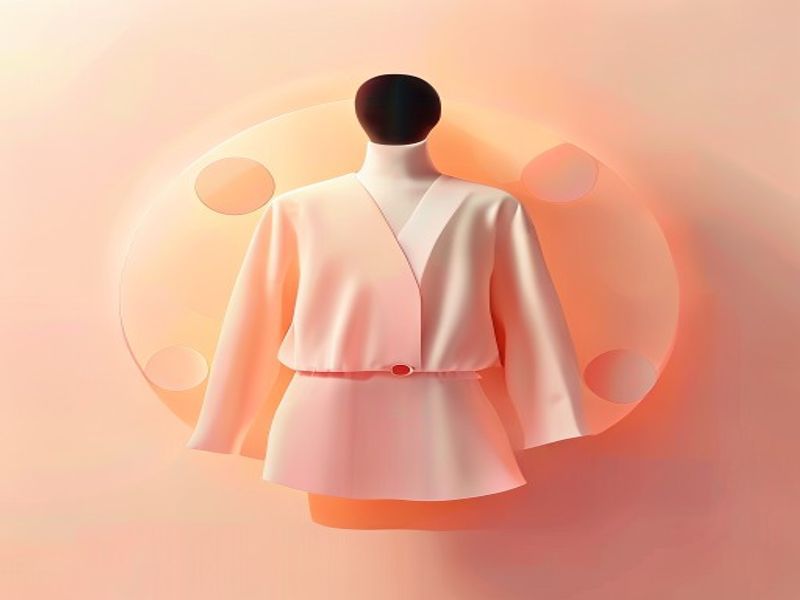
Start with a product shot, flat lay, or on-model photo where the garment edges are visible and the lighting is reasonably even.
Describe the garment and the target shade. Tell the model to change only the clothing color while preserving fabric texture, folds, logos, trim, and shadows.
Review the recolor outputs, keep the strongest result, and rerun with tighter instructions if a sleeve, collar, or edge needs more control.
Tip: The more clearly separated the garment is from skin, hair, and background objects, the cleaner your first-pass recolor usually is.
A few prompt and image choices can materially improve first-pass output quality.
Be explicit about what item should change, for example: “Change the cotton crew-neck T-shirt from black to deep forest green.” Specific garment naming reduces accidental edits elsewhere.
Sharper lighting separation and fewer overlapping accessories make it easier for the model to isolate the clothing area and preserve realistic shading after recoloring.
Tell the model to keep logos, stitching, ribbing, folds, and fabric texture unchanged. This reduces the chance of a color swap turning into a broader redesign.
If the first pass changes too much, rerun with a tighter prompt focused only on the garment color. Avoid asking for styling, pose, or background changes in the same request.
Simple plans for teams that need faster apparel color iteration. All paid plans use credits, so you can scale up or top up as needed.
For occasional product and campaign tests
$0.008 / credit
For recurring recolor work across channels
$0.006 / credit
For heavier volume and team workflows
$0.004 / credit
The current product is intentionally simple. These answers explain what the MVP does well today and where you still need careful prompting.
Start with one source image, test new apparel colors quickly, and keep your creative team moving without waiting on another manual edit round.